Best YouTube Automation Courses in 2026: Pros, Cons, Pricing, Reviews, & Business Alternatives

Updated On
Although I list several best YouTube automation courses, my #1 recommendation is Daniel Bitton's YouTube Portal. For only $497, you'll learn how to master YouTube Shorts. Since these get views quickly, you can apply for the YouTube Shorts Partner Program (YPP) sooner to monetize your videos. If you want a more secure money-making strategy, Dave Nick's Automation Systems is a good alternative. It focuses on using YouTube to bring viewers to your offers.

The best YouTube automation courses in 2026 are:
- YouTube Portal by Daniel Bitton
- Automation Systems by Dave Nick
- Grow Channels by Razvan Paraschiv
- Automate Channels by Caleb Boxx
After going through these courses, I found that the best ones are YouTube Portal by Daniel Bitton and Automation Systems by Dave Nick. Both courses are rather affordable at $497 and $995, respectively. YouTube Portal is regularly updated and focuses on fast-viewing Shorts. Automation Systems uses YouTube to drive traffic to your other offers, which can earn more money than relying on ads.
In this article, I list the best YouTube automation courses in 2026. I go over the pros and cons, pricing, reviews, and what you can expect for each course. Then, I compare it to a business alternative that's more streamlined and automated. Hint: It's local lead generation.
What Are the Best YouTube Automation Courses in 2026?
1. YouTube Portal by Daniel Bitton
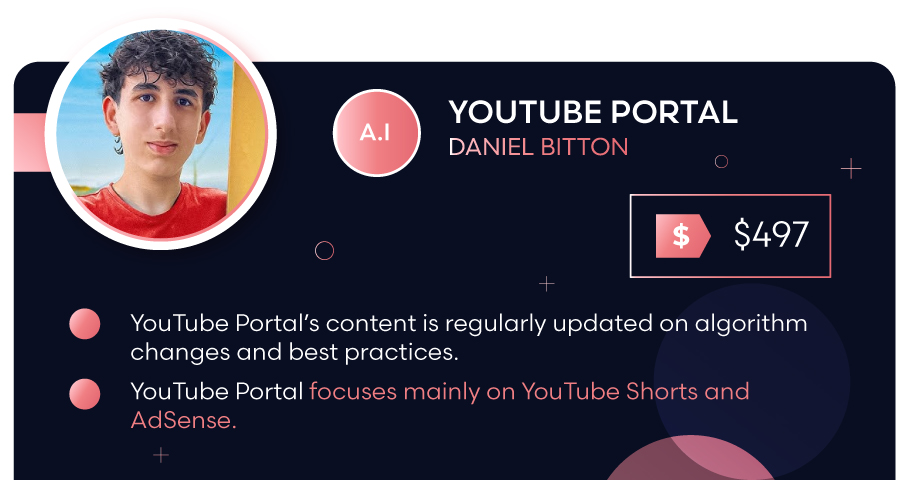
YouTube Portal is Daniel Bitton's course that focuses on faceless YouTube Shorts. The main tactic taught is Daniel's "scroll and stop" method. You scroll YouTube Shorts to spot trending topics and winning channels, and model what's working. He also teaches how to add pattern interrupts, quick, unexpected changes in a video that “snap” the viewer’s attention back. Here, you make money through the YouTube Shorts Partner Program (YPP). The course claims Shorts pay per 1,000 engaged views, and you can earn more by getting lots of views quickly.
YouTube Portal reviews are mostly positive. One student reported 10,000 subscribers in just 3 weeks. Another student appreciated the practical tips and supportive community. One critique is that the content library feels thin right now, but it has potential.
🎯 Course focus: YouTube Portal focuses on YouTube Shorts and the YouTube Shorts Partner Program (YPP).
✅ Pros:
- YouTube Portal’s content is regularly updated on algorithm changes and best practices.
- Daniel Bitton shares insights from his own successful experience.
- YouTube Portal offers networking and peer support.
❌ Cons:
- YouTube Portal focuses mainly on YouTube Shorts and AdSense.
- Daniel Bitton heavily promotes his Crayo AI tool for viral content creation.
- YouTube Portal’s YPP monetization strategy requires 10 million valid public Short views in 90 days.
💰 Price: YouTube Portal costs $497 or $70/month
🔄 Refund Policy: YouTube Portal has no refund.
👍 Reputation: Daniel Bitton has 253k Instagram followers, 194.6k TikTok followers, and 151k YouTube subscribers.
Read More: Daniel Bitton YouTube Portal Review .
2. Automation Systems by Dave Nick
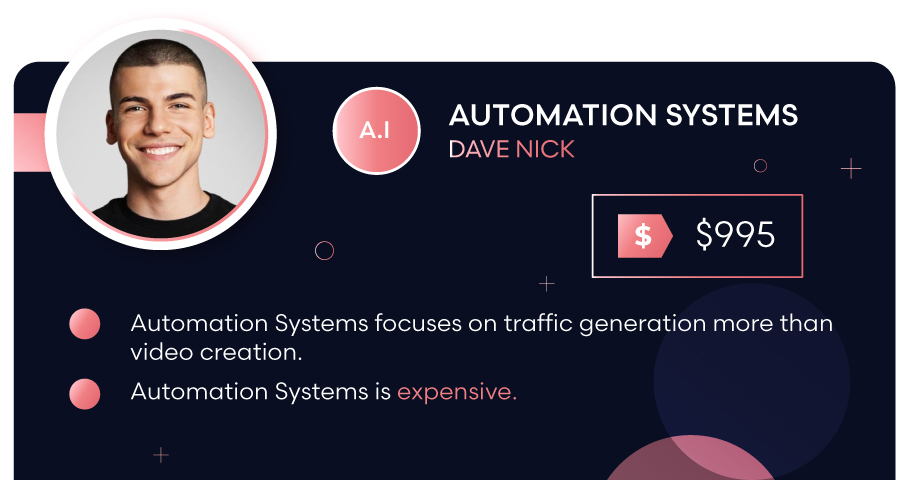
Automation Systems is Dave Nick’s course that teaches how to drive traffic from YouTube to your offers (like a website, store, or landing page). So instead of earning from AdSense, your channel is used as your marketing tool. The course goes over Dave's own ADR Traffic System and 14.7M+ Visitor Blueprint that helped him drive clicks and customers from YouTube. It also comes with a big stack of automation tools to speed up thumbnails, scripts, edits, titles/descriptions/tags, niche research, etc... The course even covers ways to make money, like affiliate links, print-on-demand, brand deals, and even selling channels.
There are lots of good reviews on the Automation Systems sales page. One student says he was able to get his channel to 70,000 subscribers thanks to Dave. An honest student says that Dave's systems work, but you need to put a lot of effort into it. Although the course itself has no negative reviews, there are a few strong words from students of Dave Nick's other offers. They mostly say his strategies don't work.
🎯 Course focus: Automation Systems focuses on using YouTube automation to get clicks to your offer, whether affiliate links, print-on-demand products, brand deals, or selling channels.
✅ Pros:
- Automation Systems provides other ways to earn money from YouTube besides AdSense.
- Automation Systems focuses on traffic generation more than video creation.
- Automation Systems has live 24/7 support.
❌ Cons:
- Automation Systems is expensive.
- Automation Systems comes with upsells.
- Dave Nick's model requires you to run a separate business with a product or service offer.
💰 Price: Automation Systems costs $995 or $1,490 with done-for-you services.
🔄 Refund Policy: Automation Systems has a 30-day money-back guarantee.
👍 Reputation: Dave Nick has 175k Instagram followers, 2.16k YouTube subscribers, and 2.1k Facebook followers.
Read More: Dave Nick Automation Systems Review.
3. Grow Channels by Razvan Paraschiv
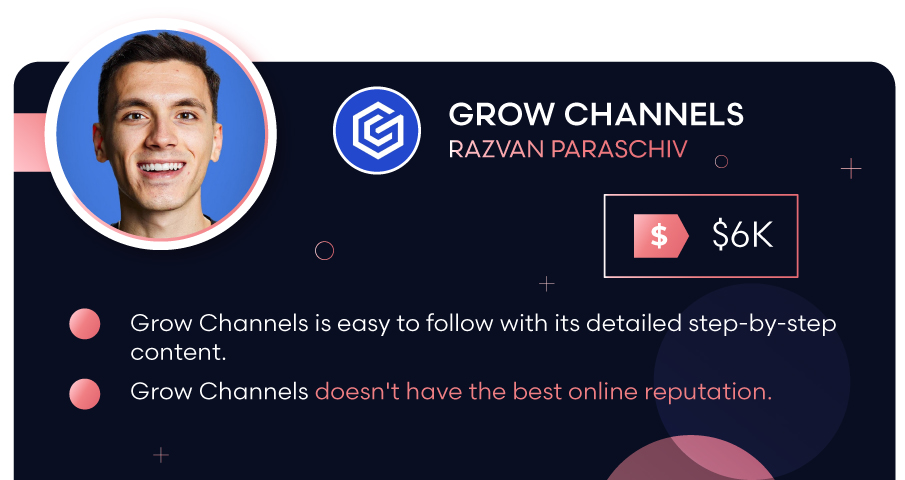
Grow Channels is Razvan Paraschiv's YouTube automation course on building faceless "cash cow" channels. These are channels designed to make money consistently using repeatable video formats. The course provides step-by-step playbooks, teaches how to find content ideas, shows how to scale production using freelancers (or friends) for just $50, and offers a simple workflow. It also teaches many monetization strategies, including AdSense, affiliate marketing, channel memberships, merch, and sponsorships.
Grow Channels reviews are a bit mixed. One student praised Raz as a serious mentor with valuable information. Another says that he followed all the steps provided in the course and now earns $5,000-$13,000/month. On the flip side, one YouTube review said that it was impossible to find freelancers for $50 to do the automation work. Then, a Redditor said the course was very basic for such a high price.
🎯 Course focus: Grow Channels focuses on building cash cow channels by using freelancers or friends, then monetizing through AdSense, affiliate links, memberships, merch, and sponsors.
✅ Pros:
- Grow Channels is easy to follow with its detailed step-by-step content.
- Razvan and his team closely monitor and guide you as you start your journey.
- Razvan Paraschiv is a known figure in the YouTube automation industry.
❌ Cons:
- Grow Channels is very expensive.
- Grow Channels doesn't have the best online reputation.
- Grow Channels is a general YouTube automation course with no special focus.
💰 Price: Grow Channels costs $6,000.
🔄 Refund Policy: Grow Channels doesn't have a refund.
👍 Reputation: Razvan Paraschiv has 1.5M Instagram followers, 59.7k YouTube subscribers, and 3.8k Facebook followers.
Read More: Razvan Paraschiv Grow Channels Review .
4. Automate Channels by Caleb Boxx
Automate Channels is Caleb Boxx's course that teaches "YouTube automation in the classic sense: build a faceless niche channel, then outsource the whole production line (scripts, voiceover, editing, thumbnails). The goal is to make your main job just managing the system. The monetization angle is mostly YPP/AdSense, but it also talks about earning through affiliate marketing, brand sponsorships, donations (Patreon), or your own products/services.
Automate Channels reviews are honest and show proof of success. One student gave the name of their YouTube channel, Nutty History, and said it was making $500 each day after 2 years. Another student showed screenshots of his earnings of $7,000 after working on the course for 7 months. However, one Reddit user says that it was the worst investment they made. They say that Caleb just reuses the same videos over and over again.
🎯 Course focus: Automate Channels focuses on running a faceless niche channel by outsourcing production, then earning mainly through AdSense (YPP).
✅ Pros:
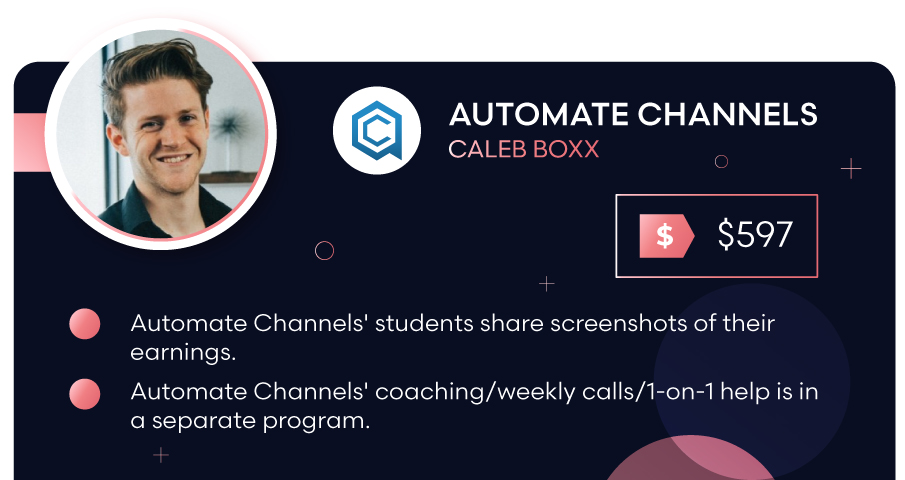
- Automate Channels' students share screenshots of their earnings.
- Caleb Boxx runs the YouTube automation channel UpNext, which has 695 videos, 278K subscribers, and 73M+ views.
- Automate Channels includes 78 step-by-step lessons on starting YouTube automation.
❌ Cons:
- Automate Channels' coaching/weekly calls/1-on-1 help is in a separate program.
- Automate Channels mentorship program is expensive.
- Automate Channels is a basic YouTube automation course.
💰 Price: Automate Channels costs $597 or $7,800-$20,000 for the membership extension.
🔄 Refund Policy: Automate Channels has no refund policy.
👍 Reputation: Caleb Boxx has 637k Instagram followers, 63.5k YouTube subscribers, and 49k Facebook followers.
Read More: Caleb Boxx Automate Channels Review .
What Are the Best YouTube Automation Tools?
- YouTube Studio (official). This schedules uploads, manages comments, analytics, end screens, and subtitles.
- TubeBuddy, vidIQ, Google Trends. These tools are SEO + keyword helpers. Use it to research topics, titles, and tags faster.
- CapCut, DaVinci Resolve, Adobe Premiere Pro, Final Cut Pro. These speed up editing, captions, templates, and batching.
- Canva, Adobe Express, Photoshop. Use these tools to create your YouTube thumbnails and designs. You can make one strong thumbnail layout, then reuse it and quickly swap the image/text for each new video.
- Audacity, Adobe Audition, Descript. These are your tools for audio and voice cleanup. Descript can even do AI voiceover in certain setups, so you don't need to use your own.
- Repurpose.io. This automatically reformats your YouTube videos and posts them on other social media platforms. This increases exposure and drives more traffic to your YouTube channel.
NOTE: AI tools that boost your subscriber count and views are against YouTube's fake engagement policy and will get your channel banned.
What Are the Best Niches for YouTube Automation?
- Health and fitness
- Technology
- How to make money online
- Travel
- Software tutorials
- Business and luxury
- Personal finance
- Interesting facts
- Cars and other vehicles
- Happiness
- Cryptocurrency
How Much Can You Make With YouTube Automation?
You can make anywhere from $0 to $10,000+ with YouTube automation. Experts claim to make over $50k to a million. One Reddit user gave an honest answer and said they earned $3.5k in the last 4 months with 1 channel. However, most people are skeptical and say that only very few can really earn big from it.
Yes, YouTube automation can really make money, but only if you run it like a real media business. You have to:
- Pick a monetizable niche
- Publish videos consistently at a high quality level
- Stay compliant with YouTube policies
- Build multiple revenue streams
Is YouTube Automation Worth It in 2026?
YouTube automation is not worth it in 2026. In fact, YouTube is starting to shut down these automation channels and labeling them as "inauthentic content." If they decide your channel falls under that bracket, you get denied monetization or lose it.
You must also follow YouTube's policies and laws to stay legal. It becomes a problem if your “automation” involves:
- Copyright infringement. You upload third-party content that you don't have the rights to.
- Fake engagement. You implement bots, buy views/likes/comments, or pay for any system that artificially inflates your metrics.
- Unoriginal, mass-produced, or repetitive content. This isn't illegal, but it can lead to demonetization if it fails YouTube's monetization standards.
Even if nobody catches you, it’s still hard to make good money from the channel. For AdSense, you need at least 1,000 subscribers and 4,000 public watch hours in the past 12 months (or 1,000 subscribers and 10 million Shorts views in 90 days). For other ways to make money, you need a huge, loyal audience that will buy your items or support your channel.
Finally, competition is extreme. YouTube's CEO says there are 500+ hours of video uploaded every minute. This makes "publish more" a weak advantage unless the quality and retention are excellent.
If you're looking for a more secure way to make money online, I highly recommend local lead generation. It's also faceless and automated, but it's sure to make you thousands of dollars each month without the hassle.
Why Local Lead Generation Is Better Than YouTube Automation?
Local lead generation is better than YouTube automation because it's a real business that offers a valuable service. Here is a local lead generation vs YouTube automation comparison table:
Local Lead Generation | YouTube Automation | |
|---|---|---|
🧩 Business Model | Build & rank local service websites → sell exclusive leads to real businesses. | Create faceless YouTube channels → monetize via ads, affiliates, or sponsorships. |
💸 Startup Cost | Low → domain, hosting, basic tools ($100-$500 per site) | Medium to high → editors, scripts, voiceovers, thumbnails, tools ($1,000-$5,000+) |
📈 Profit Margin | Very high (70-90%) → minimal ongoing costs once ranked | Moderate (30-60%) → constant outsourcing & reinvestment |
🤝 Customers / Clients | Business owners who need more leads. | Mostly viewers who must watch/click/buy for revenue to happen. |
🥊 Competition | Localized → you compete city by city, industry by industry. | Global → you compete with thousands of creators per niche |
🏆 Earning Potential | $500-$5,000 per site per month. | Unpredictable. Many channels never monetize meaningfully. |
🎛️ Control | High → you own the site, leads, pricing, and clients. | Low → YouTube controls reach, monetization, and survival. |
🚀 Scalability | Easy → Create more sites and sell their leads. | Hard → Post more videos and get people to watch/click/buy or wait for brands to reach out. |
💤 Passive income | Set-and-forget business model after sites rank. | You need to constantly upload videos or revenue dies. |
Local Lead Generation Is My #1 Business Model in 2026
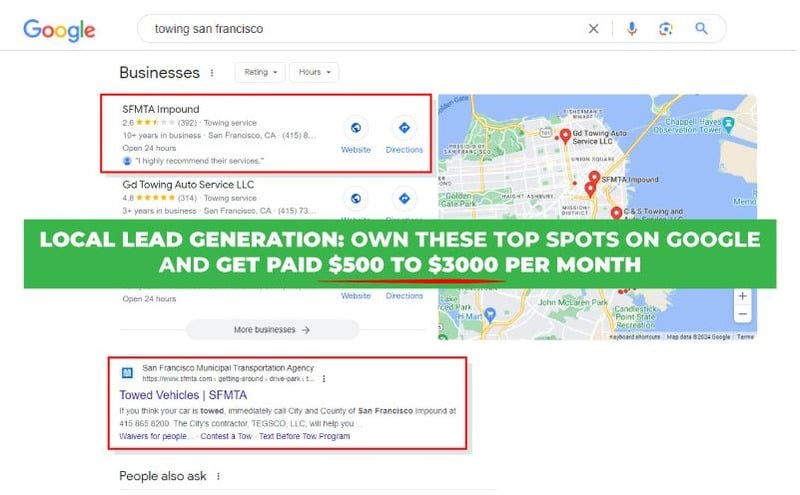
Local lead generation is my #1 business model in 2026 because it's true passive income. I have over 50 ranked websites that I hardly touch nowadays. And they generate $52,000 per month for me. One website alone, like my site, El Monte Elite Concrete Solutions, 10640 Lower Azusa Road, El Monte, CA 91732, 626-606-2133, elmonteeliteconcrete.com, sells at least 11 leads per month. My client makes $24,100 from these leads, and they give me a 10% commission. So with this site, I make a monthly $42,410.
If you want a secure online business that's passive, then local lead generation is the best choice. If you're interested, I have a local lead gen training program you can check out. It goes over all the steps on how to master this business. Or, you can build and rank websites for my roofing client for a 1% to 5% commission.

Follow Me
Ippei Kanehara
Founder/CEO
$52K per month providing lead generation services to small businesses
Ippei.com is for digital hustlers, industry leaders and online business owners.
My #1 online business recommendation in 2024, is to build your own lead generation business.